여러 폴더에 흩어져 있는 파일들을 한 폴더로 복사하기
2023. 7. 5. 17:36ㆍ자동화
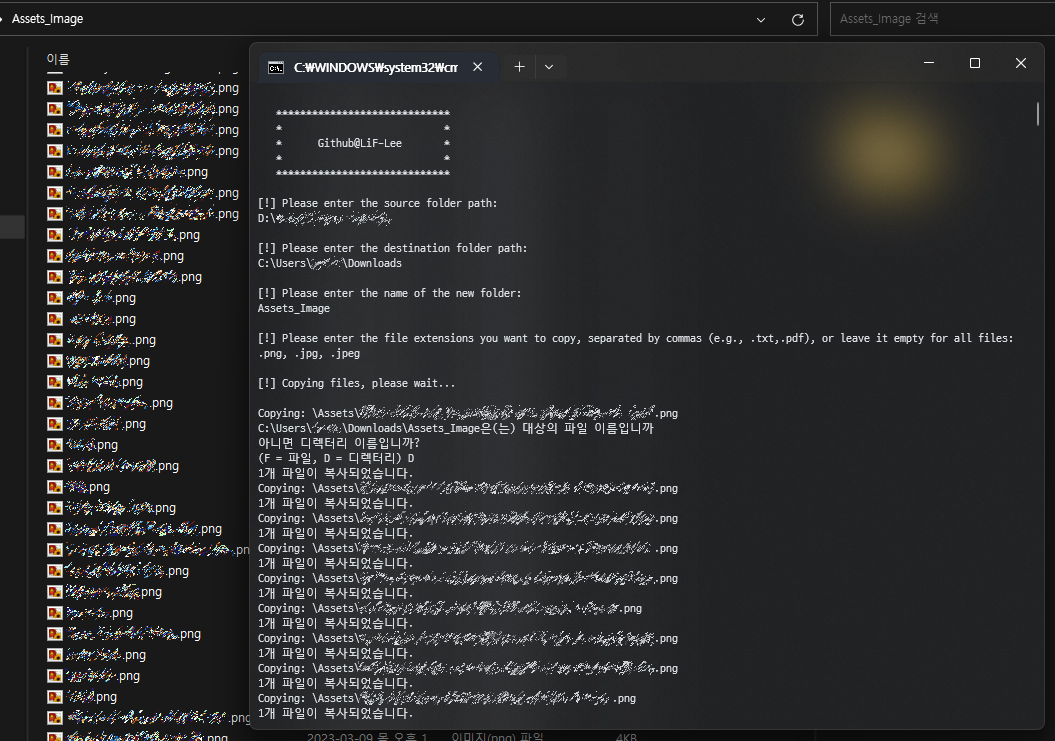
여러 폴더에 흩어져 있는 파일들을 한 폴더로 복사하는 배치 파일입니다.
확장자를 지정하여 일부 파일만 선택적으로 가져올 수도 있습니다.
Github Gist
@echo off

echo.
echo    *****************************
echo    *                           *
echo    *      Github@LiF-Lee       *
echo    *                           *
echo    *****************************

:begin

:inputSrc
echo.
echo ^[!^] Please enter the source folder path:
set /p src=
if not exist "%src%\" (
    echo Invalid path. Please try again.
    goto inputSrc
)

:inputDest
echo.
echo ^[!^] Please enter the destination folder path:
set /p dest=
if not exist "%dest%\" (
    echo Invalid path. Please try again.
    goto inputDest
)

echo.
echo ^[!^] Please enter the name of the new folder:
set /p newFolderName=

echo.
echo ^[!^] Please enter the file extensions you want to copy, separated by commas (e.g., .txt,.pdf), or leave it empty for all files:
set /p fileExtensions=

echo.
echo ^[!^] Copying files, please wait...
echo.

setlocal enabledelayedexpansion
if not defined fileExtensions (
    for /r "%src%" %%f in (*) do (
        set "relPath=%%~dpf"
        set "relPath=!relPath:%src%=!"
        echo Copying: !relPath!%%~nxf
        xcopy "%%f" "%dest%\%newFolderName%" /Q /Y /I
    )
) else (
    set "fileExtensions=%fileExtensions: =%"
    for %%a in (%fileExtensions%) do (
        for /r "%src%" %%f in (*%%a) do (
            set "relPath=%%~dpf"
            set "relPath=!relPath:%src%=!"
            echo Copying: !relPath!%%~nxf
            xcopy "%%f" "%dest%\%newFolderName%" /Q /Y /I
        )
    )
)
endlocal

echo.
echo ^[!^] File copy operation completed!

echo.
echo ^[!^] Do you want to copy more files? (Y/N)
set /p restart=
if /i "%restart%"=="Y" goto begin
if /i "%restart%"=="y" goto begin